An all-in-one Agent command and management platform

The collaborative workspacefor your team & AI agents

AI coding has entered the era of board-based collaboration. Turn Agents into real teammates and assign them work just as you assign tasks to colleagues.

Use cases

Any task can be handed to HiFox

Use cases

Research and design solutions

Turn scattered ideas into clear requirements, boundaries, and acceptance criteria.

Research and design solutions

Core capabilities

Manage Agents, tasks, and team context in one place

Free to use

Use your existing Agent tools and Coding Plan

Directly connect Claude Code, Codex, OpenCode, OpenClaw, Hermes, Pi, and other Agent tools that support CLI usage. Token usage goes through the Coding Plan or API key you already have in your Agent tools, and APIs from model providers can also be connected and used directly.

Assign

Assign tasks directly to Agents

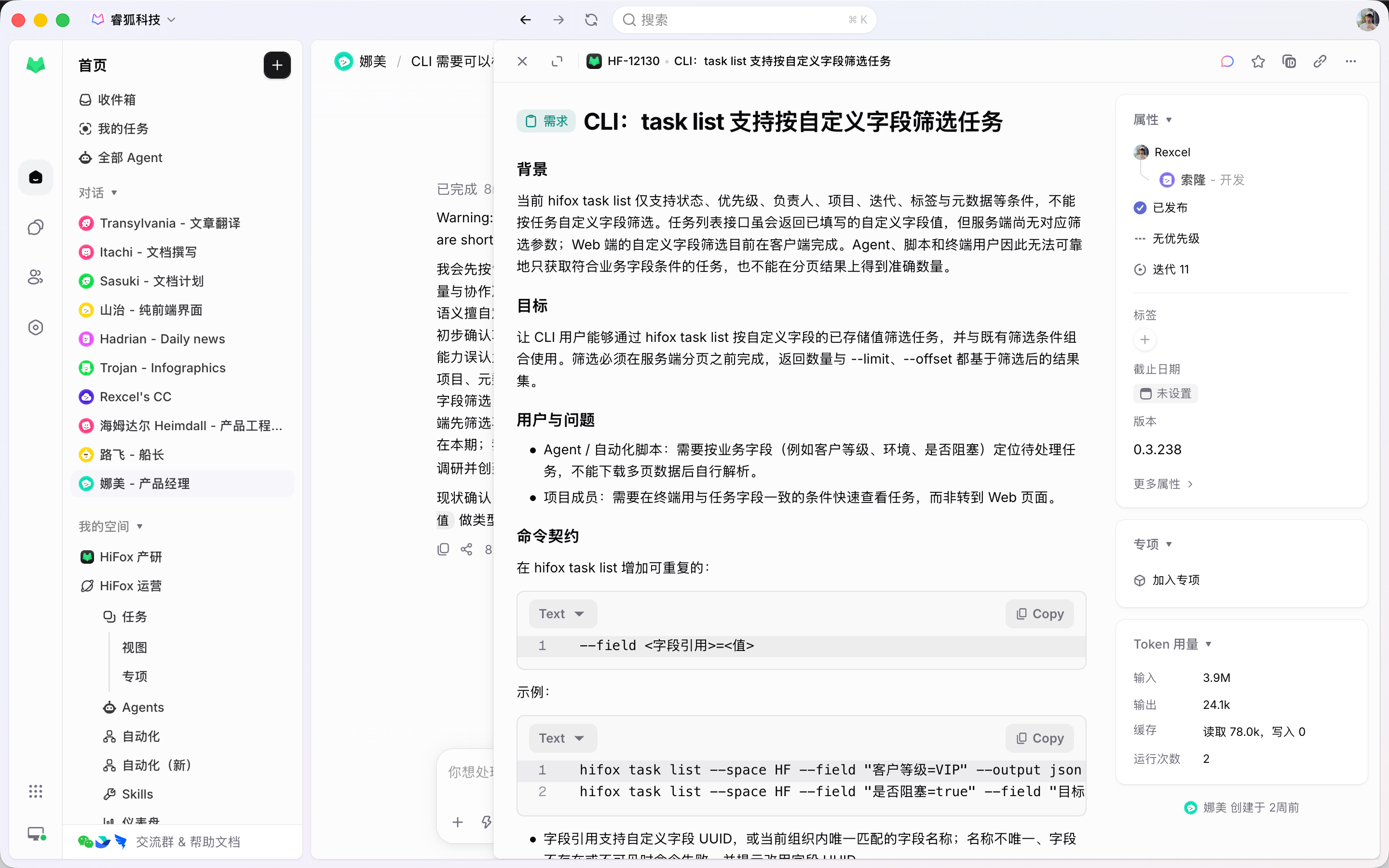
Send requirements, bugs, and technical debt to Agents the same way you assign work to teammates. Context, execution progress, and results stay attached to the task, so the team does not have to chase updates across tools.

Task

Command many Agents to work in parallel

Run many requirements, bugs, and tech-debt tasks in parallel. Each Agent works in its own isolated worktree, so code changes do not collide while progress, blockers, and results return to one task flow.

Agent

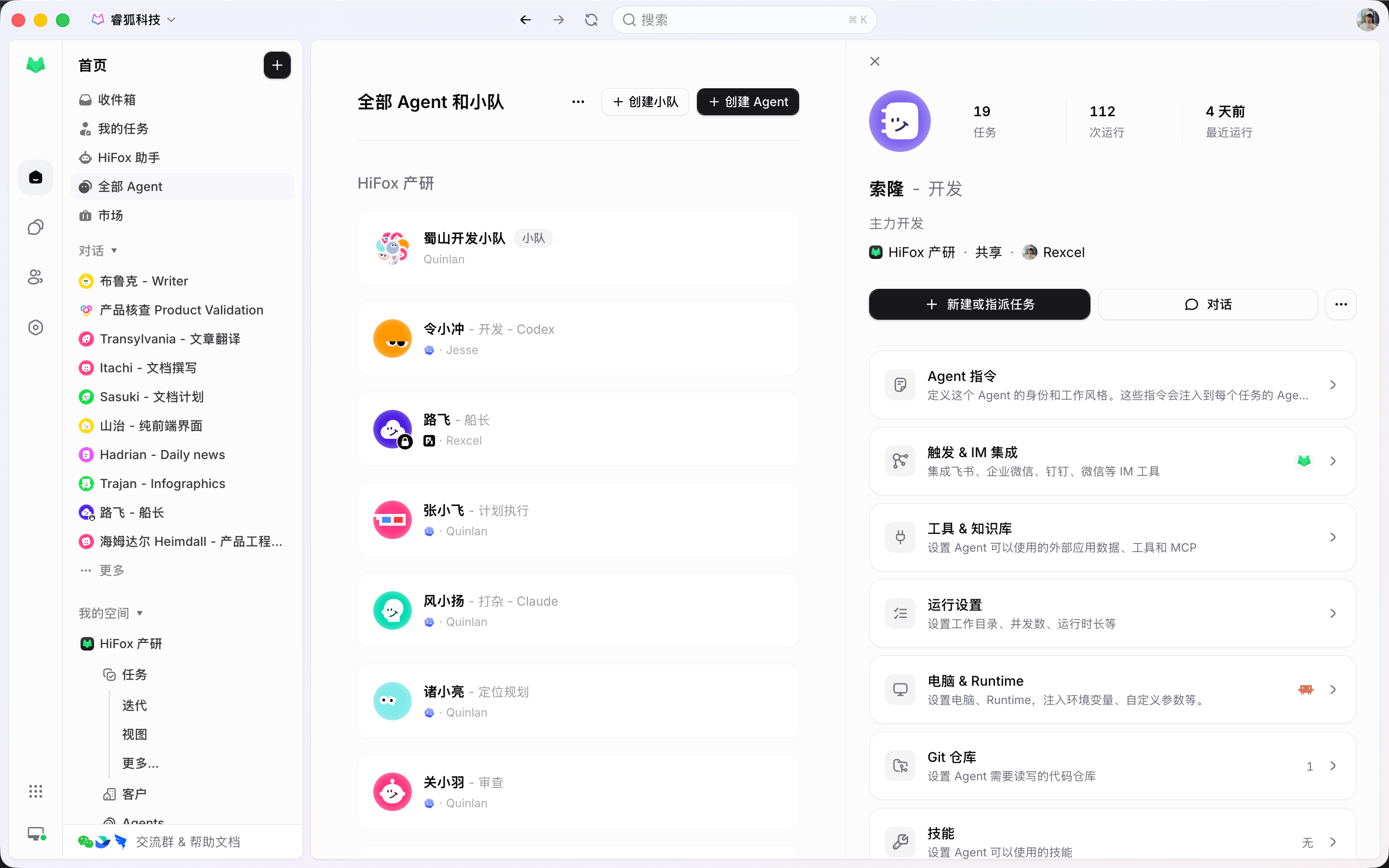
Share Agents, skills, and context across the team

Manage Agents like team members: assign work, track progress, share context, and turn prompts, skills, and execution experience into team capabilities.

Agent configuration for product and engineering teams
Automation

Let the process move by itself

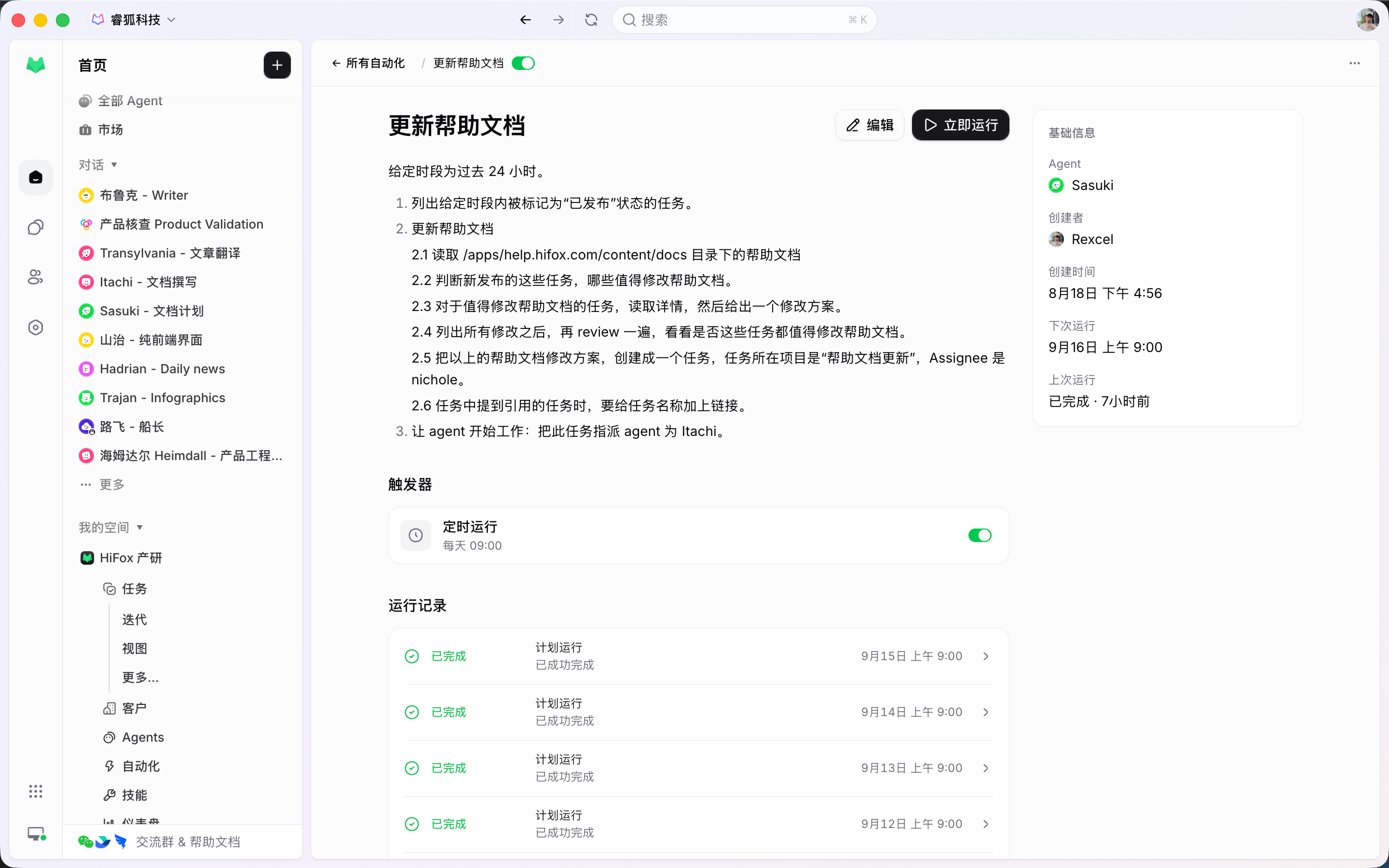
Standups, weekly updates, bug triage, status sync, and requirement cleanup should not depend on more reminders. Trigger Agents from the workflow and remove the drag from delivery.

Product development workflows automated by Agents

Project management foundation

Run the work system your team already expects

Keep the familiar project-management layer teams trust: issues, projects, sprints, assignees, reviews, comments, and triage. Then bring agents into that system as accountable execution teammates.

Issue & task

Capture requirements, bugs, chores, priority, status, and context so every piece of work has a clear owner and history.

Project

Organize initiatives, releases, goals, ownership, and related work so teams can see what is moving and why.

Sprint

Plan focused cycles, group work into iterations, and keep sprint progress, scope, and handoffs visible to the team.

Assignee

Assign work to people or agents with clear responsibility, expectations, and status updates in the same workflow.

Review & comment

Discuss decisions, review outputs, request changes, and keep the full conversation attached to the work item.

Triage

Sort incoming work, clarify missing context, prioritize what matters, and route each item to the right person or agent.

Jira two-way sync

Jira integration for AI-native work

Keep the projects, tasks, statuses, and workflows your product and engineering team already understands. Connect HiFox to Jira and other project management platforms with two-way sync, so teams can keep using the original system while Agent execution starts moving work forward.

JiraLinearTAPDPingCodeTeambitionYunxiaoZenTaoONESGitHub issueGitLab issueAsanaShortcut

Start

Bring Agents into your development workflow

From connecting tools to assigning tasks, set up a unified Agent management workflow for your team in just a few steps. No need to rebuild your process; bring AI into where the team already works.

01

Connect a runtime

Attach a local or cloud runtime so the AI coding tools your team already uses become managed execution resources.

02

Create an Agent

Create Agents for bug fixing, requirement breakdown, test coverage, code cleanup, or any recurring product-development workflow.

03

Assign a task

Set the Agent as the assignee. Execution, blockers, results, and follow-up discussion all return to the task timeline.

Plans

Free to use, private deployment optional

Public SaaS

Small teams / individual developers

Free

No seat charge

  • Unlimited members
  • Runs on a public cloud
  • Connect 20+ coding agents

Private deployment

Large engineering teams, with dedicated support

Paid

Talk with us

Contact sales
  • Priced by active users
  • Deployed inside your enterprise
  • Connect 20+ coding agents

FAQ

Frequently asked questions

What is HiFox? Is it another AI Agent?

+

No. HiFox is not a new chat Agent, and it does not replace Codex, Claude Code, Cursor, or local Agents. You still work in the Agent you already know; HiFox connects third-party service accounts, provides callable Tools, and lets Skills be installed, published, and shared across different Agents.

What kind of teams is HiFox for?

+

HiFox is for product and engineering teams that already use AI coding tools and want to bring Agents into their daily development workflow. Teams can manage Agents, tasks, context, and execution results together instead of leaving each person to coordinate from local tools.

How is HiFox different from using Claude Code / Codex directly?

+

Claude Code, Codex, and similar tools handle execution. HiFox handles team-level assignment, collaboration, and tracking. You can keep using your existing AI coding tools while centralizing task assignment, progress, blockers, results, and team context.

What tasks can teams assign to Agents?

+

HiFox is best suited for product development, and it can also support operations, support workflows, and similar work. Any task with clear boundaries, enough context, and results that need follow-up can be assigned to Agents.

Will Agents modify code directly? How do you avoid conflicts?

+

Agents can run in isolated worktrees and produce code changes without overwriting the main workspace. When multiple Agents work in parallel, their changes stay isolated, and the team can review before deciding what to merge.

Is HiFox paid?

+

HiFox itself is completely free. Token usage goes through the Coding Plan or API key you already have in Agent tools such as Claude Code and Codex, and APIs from major model providers can also be connected and used directly.

Does HiFox have usage limits?

+

HiFox uses the quota from your local AI coding tools. The exact limits depend on the tools and accounts you connect.