Backlog and board hold the same Tasks
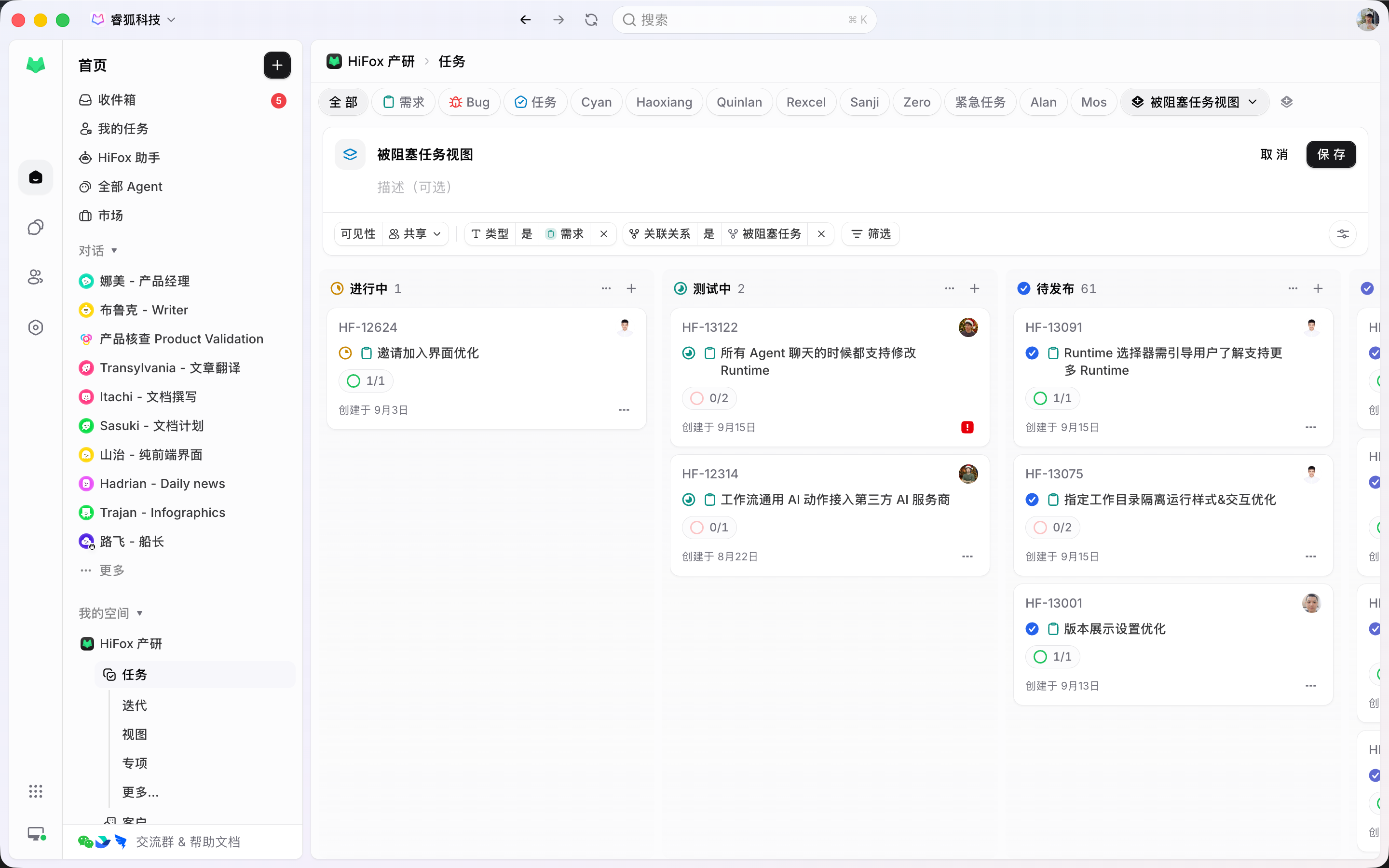
The Backlog holds work that is not committed yet; the board shows committed work moving. Same Tasks, two views, one source.

The team runs its Sprints the way it always has. Once scope is committed, Agents sit alongside the other assignees, sharing the same capacity and the same burnup. Acceptance criteria live in the Task description, so progress and acceptance stay inside the Sprint.
How it works
Backlog, boards, and acceptance criteria are practices the team already has. Agents take the execution slot. Work without acceptance criteria does not enter the Sprint.
The Backlog holds work that is not committed yet; the board shows committed work moving. Same Tasks, two views, one source.
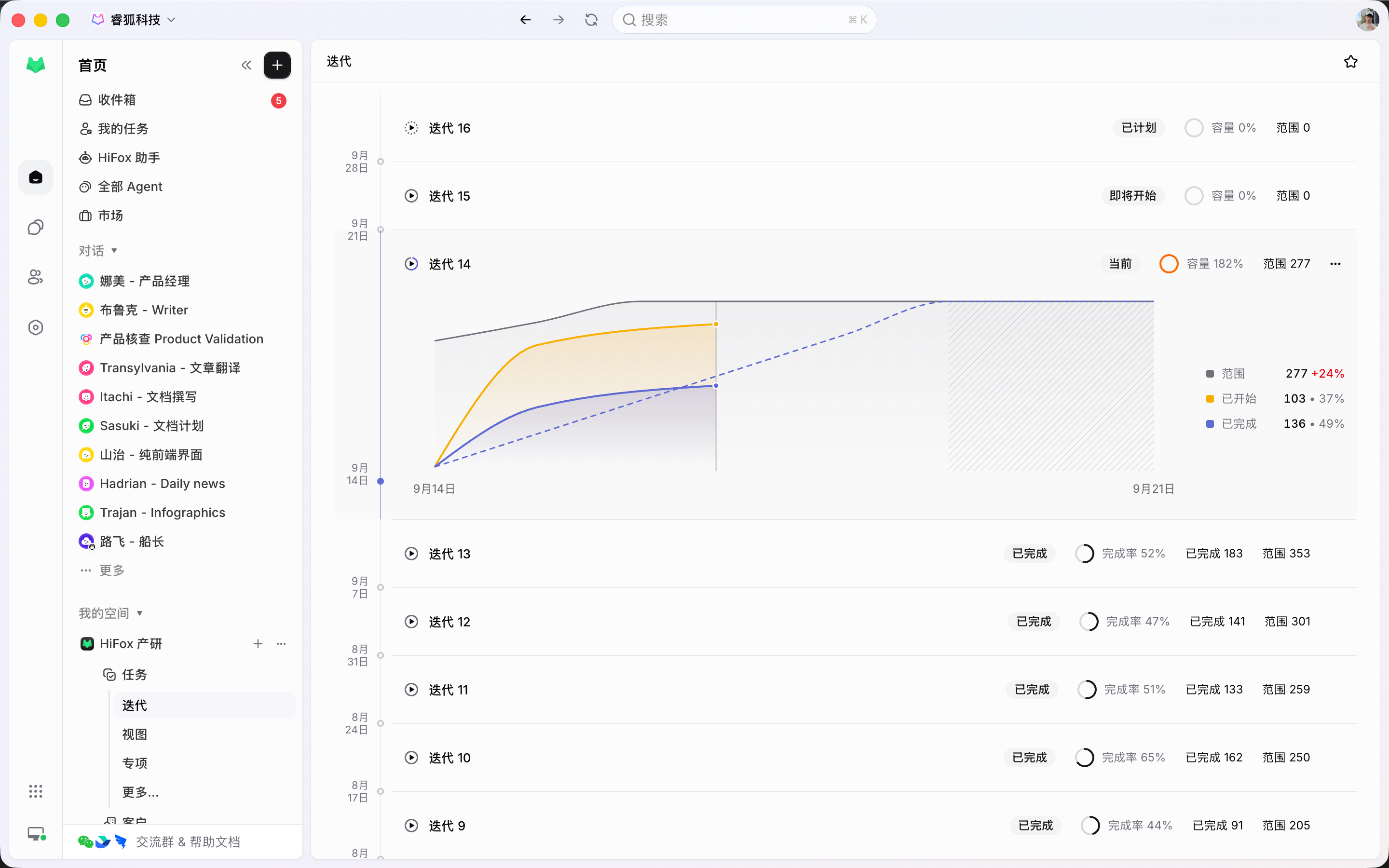
A Sprint is a Space time box. Agents and teammates share one Assignee control, and Agents count toward capacity too.
The description spells out what done means, and the Sprint closes against it. Until that is written down, the Task is not ready.
Agile Workflow
Scope, progress, execution, and acceptance all write to Tasks. There is no second board reserved for Agents.
Committed Tasks sit split by status on one board, so who is on what and what is still open is plain at a glance.
A Sprint is a Space time box. Once it starts, work in progress, scope changes, and capacity stay visible, and burnup updates as Tasks move.
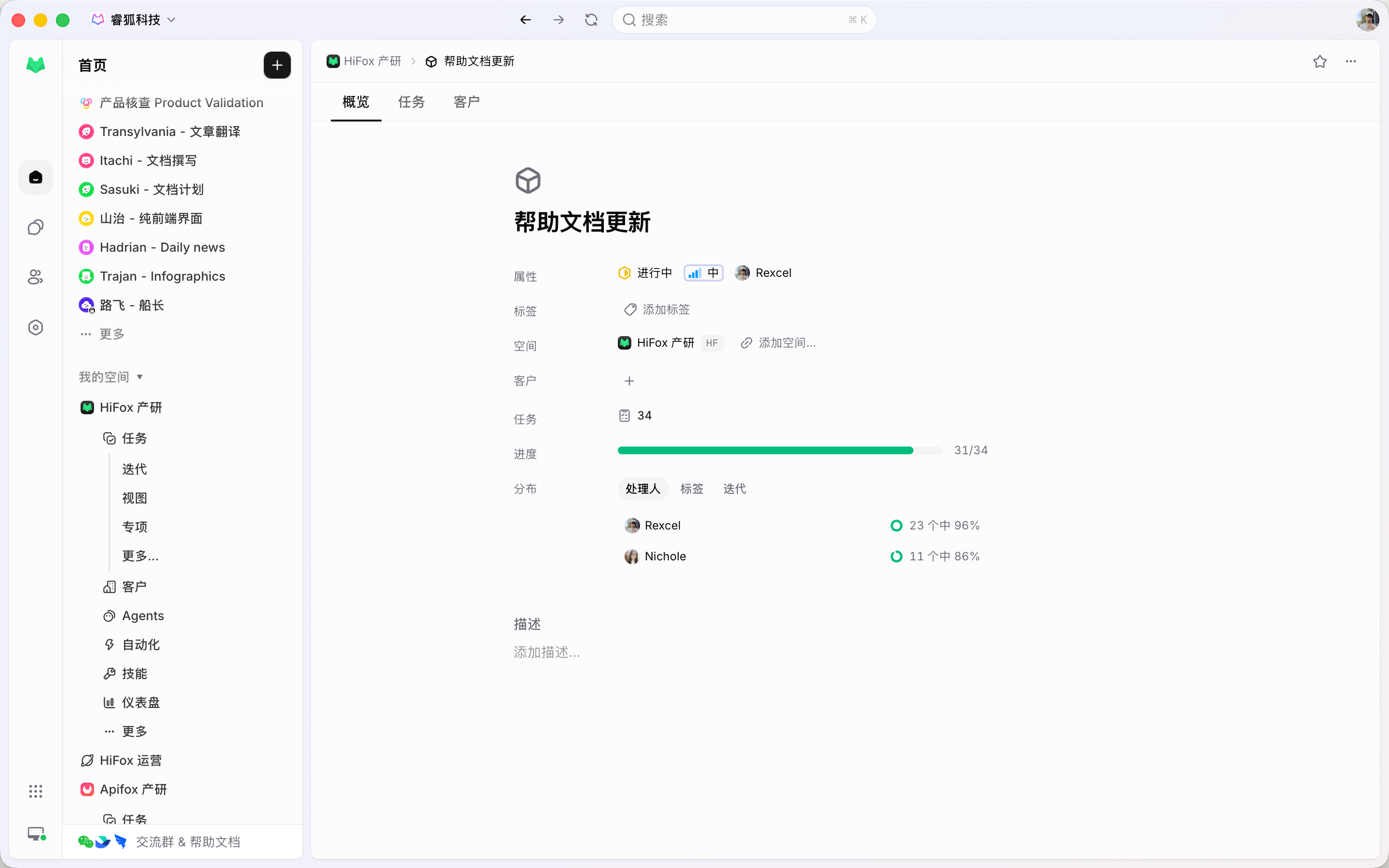
A Project groups related Tasks for one goal or release. The Tasks themselves stay in their own Space and Sprint.
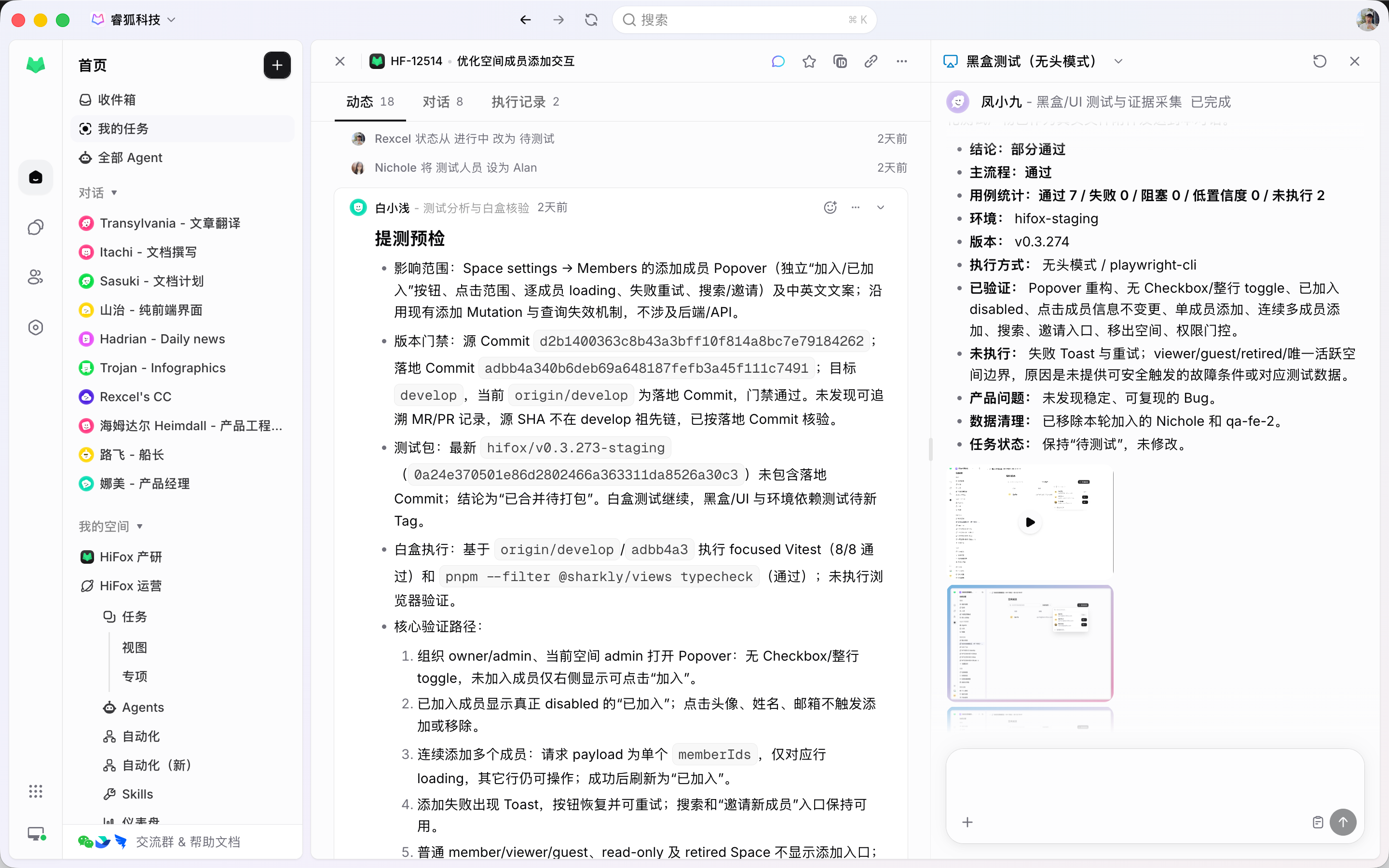
An Agent picks up committed Tasks from the Assignee control, consuming Sprint scope and counting toward burnup just like a teammate. Execution runs in its own worktree, and progress, blockers, and results return to the Task.
The criteria in the description are the test scope. Agents run regression inside the Sprint and return results and evidence to the Task, where a failing case becomes work for the same cycle.
Directly connect Claude Code, Codex, OpenCode, OpenClaw, Hermes, Pi, and other Agent tools that support CLI usage. Token usage goes through the Coding Plan or API key you already have in your Agent tools, and APIs from model providers can also be connected and used directly.
The agile system
Backlog, Sprint, Project, and View define how a Space runs agile. An Agent takes the execution slot on a Task; it is not an extra layer.
Goal, type, status, priority, estimates, assignees, and comments stay on one Task.
Uncommitted work: ordered, typed, and waiting for the next Sprint.
A time box configured per Space, with capacity from recent velocity and burnup history.
An optional grouping for one goal or release, spanning several Sprints.
Saved boards and filters, so planning and review open the same one.
Criteria live on the Task. Agents run inside the Sprint and return results and evidence to it.
Quality of life, built in
Discussion, execution, and acceptance all attach to the Task.
Shape the Backlog, commit the scope, and assign what needs executing to an Agent or a teammate.
Start
Fill the Backlog, commit a Sprint, and put criteria and an assignee on it.
Create Tasks with a type, an estimate, and an assignee. Keep what is not ready in the Backlog.
Pull in what the cycle can finish. Agents take their Tasks from the same committed set as everyone else.
Spell out what done means in the description, then assign a teammate to review and an Agent to execute or run regression.
FAQ
No. Sprints are configured per Space. Use Sprints for time-boxed delivery, and board Views grouped by status for continuous flow. A Space can run both.
Cadence is configured per Space. Automatic mode maintains the cycle length, cooldown, and start day; manual mode lets you create, start, and complete one at any time. Unfinished work rolls into the next Sprint.
Agents and teammates share one Assignee control. An Agent takes committed Tasks, consuming Sprint scope and counting toward capacity and burnup. Execution runs in its own worktree and returns results to the Task.
Acceptance criteria are written into the Task description, and that is the test scope. Agents run regression against it inside the Sprint, and failing cases become Tasks for the same cycle. Cases added this cycle are next cycle's regression scope.
A Sprint is a time box inside a Space, a Project groups related work across Sprints, and a View is a saved way to look at Tasks. A Task can belong to one Sprint and one Project and appear in many Views.
No. Committing a Task does not change its status. Execution starts when a Task with a ready Agent or Crew leaves the Backlog for a non-terminal status, and the Computer and Runtime are available.
Yes. Jira import brings in issues, epics, statuses, users, and Sprint data, and TAPD and similar platforms sync two ways, so existing work keeps moving.